Tag: payroll software

  • Employee Induction Program: 5 Ways Payroll Software Helps You Get It Right

    Employee Induction Program: 5 Ways Payroll Software Helps You Get It Right

    Your new hire says yes, you celebrate, and then day one arrives with no laptop, no login, and a calendar full of confusion. We have all seen it. A strong employee induction program fixes that, and the right payroll software quietly does a lot of the heavy lifting.

    Here is why it matters. Gallup research found that only 12% of employees strongly agree their organization does a great job of onboarding new hires. That leaves plenty of room to stand out. Below are five practical ways to build an induction program people remember for the right reasons.

    Why Payroll Software Belongs in Your Induction Plan

    Induction is more than a welcome coffee. It covers paperwork, pay, tools, people, and expectations. New hires care about one thing very early: “Will I be paid correctly and on time?”

    When pay details are clear from the start, trust builds fast. When they are messy, even a great manager struggles to win that trust back.

    5 Ways to Build an Effective Employee Induction Program

    Think of these steps as a simple recipe. Skip one, and the dish still works, but it tastes a little off.

    1. Start Before Day One

    Send a short welcome note, the offer documents, and a simple checklist a week ahead. Collect bank details and ID proofs through one secure form instead of five email threads. Order the laptop early. Nothing says “we’re thrilled you’re here” like a working login.

    Good HR system software lets new hires upload documents themselves, which saves your team hours of chasing.

    2. Make Pay and Paperwork Painless

    Walk every new hire through their salary structure, pay date, deductions, and tax forms in week one. Reliable payroll software turns this into a ten-minute conversation instead of a confusing spreadsheet tour.

    Add new joiners to payroll right away so the first paycheck lands on schedule. A late first paycheck is the fastest way to make a smart hire wonder if they chose wrong.

    payroll softwareEmployee induction program checklist with five key steps

    3. Explain Attendance and Leave Rules Clearly

    Nobody enjoys guessing the leave policy. Show new hires how to mark attendance, request time off, and fix a missed punch. An attendance management system connects these records to pay, so month-end brings fewer surprises.

    A short walkthrough video helps. Nobody reads a 40-page handbook for fun.

    4. Give Them a Buddy and a 30-60-90 Plan

    A buddy answers the small questions people feel silly asking a manager, like where the good coffee lives. Pair that with a 30-60-90 day plan that spells out goals, training, and check-ins.

    Clear goals reduce guesswork. Weekly check-ins during the first month catch problems while they are still small.

    5. Recognize Early Wins and Ask for Feedback

    Praise the first small win out loud. Employee recognition programs work best when they start in week one, not at the annual party.

    Then ask new hires what felt confusing. They see your process with fresh eyes, and their answers are free consulting.

    How Klokwise Supports Your Induction Process

    Klokwise is the HRMS from Revelar Solutions. It brings everyday HR work, such as attendance, leave, and compliance tasks, into one place. Instead of juggling separate tools, HR teams can use one human resource management software platform to welcome people, track attendance, and keep records tidy.

    Pair it with dependable payroll software, and your new hires see a smooth first month instead of a scavenger hunt.

    About Revelar Solutions

    Revelar Solutions is a digital engineering and marketing studio headquartered in Lucknow, with a presence in Delhi. The team serves clients across India and the USA, building software products and marketing programs that help businesses grow. Klokwise is one of those products.

    Final Thoughts

    A great induction program is simple. Prepare early, explain pay, clarify attendance, pair people up, and celebrate wins. Do those five things, and your new hires will spend less time confused and more time useful.

    Start small, track what works, and keep improving. Payroll software will not replace a warm welcome, but it makes sure the welcome ends with a correct paycheck.
  • How to Choose an HRMS: A Buyer’s Checklist with Payroll Software Questions

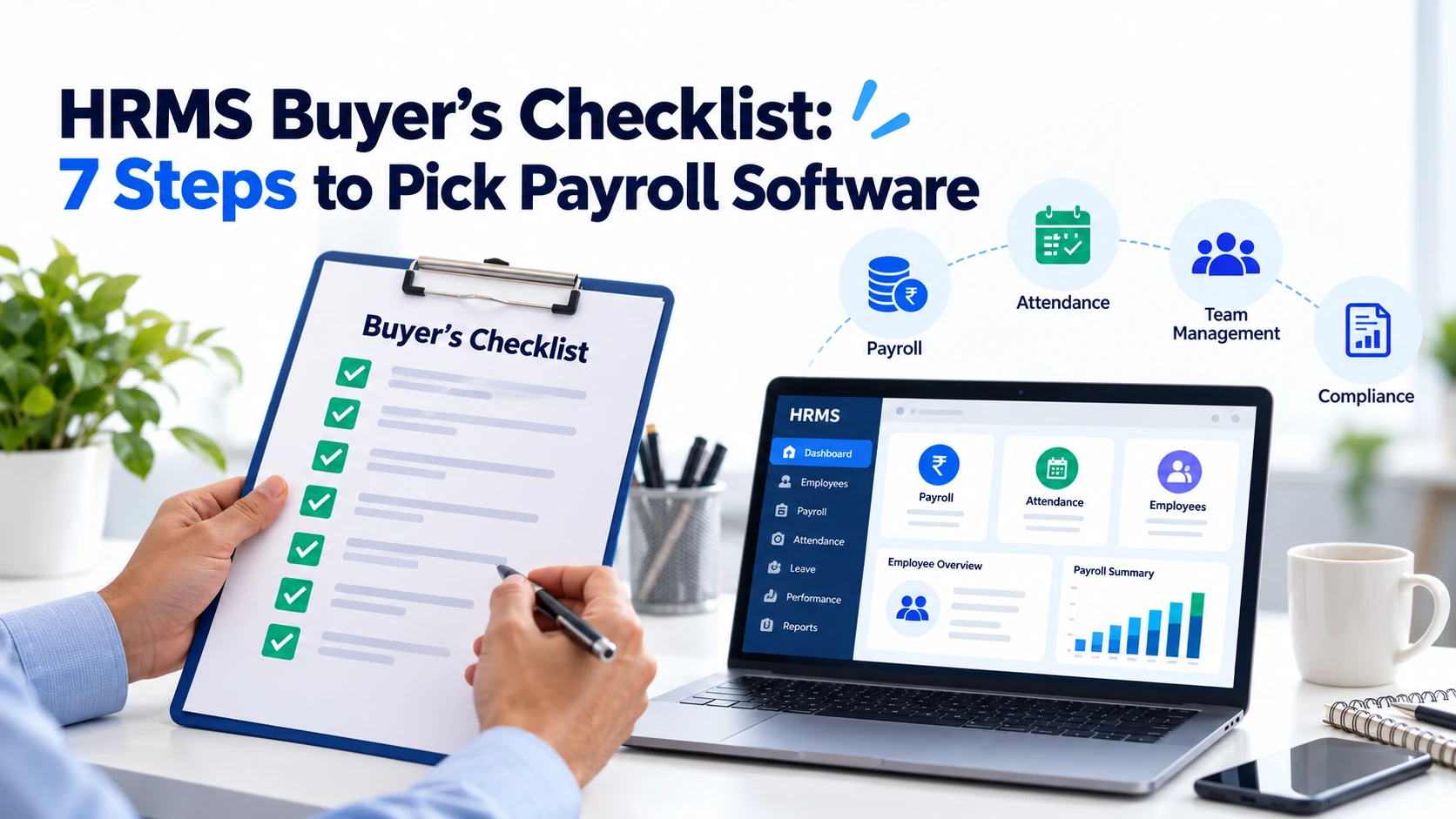
    How to Choose an HRMS: A Buyer’s Checklist with Payroll Software Questions

    Picking an HRMS feels a bit like buying a car. Everyone shows you the shiny dashboard, and nobody mentions the mileage.

    This checklist helps you look under the hood. You’ll learn what to compare, what to ask, and which red flags to spot before you sign.

    Why Your HRMS Choice Matters

    An HRMS (human resource management system) bundles core HR tasks into one platform. Think employee records, time tracking, leave, and pay. Many teams still juggle spreadsheets and email threads for these jobs. That works until it doesn’t.

    The stakes are real. Gallup estimates that replacing one employee can cost between half and twice their annual salary. Clunky systems that frustrate people don’t help you keep them.

    Step 1: Define Your Needs First

    Before you watch a single demo, write down your pain points. Ask your team:

    • What tasks eat the most hours each week?
    • Where do errors happen most often?
    • How many employees do you have now, and in two years?
    • Do you pay staff in more than one state?

    A short list keeps vendors from steering you toward features you’ll never use.

    Step 2: Check the Payroll Software Basics

    Pay is the one thing employees never forgive you for getting wrong. So start here.

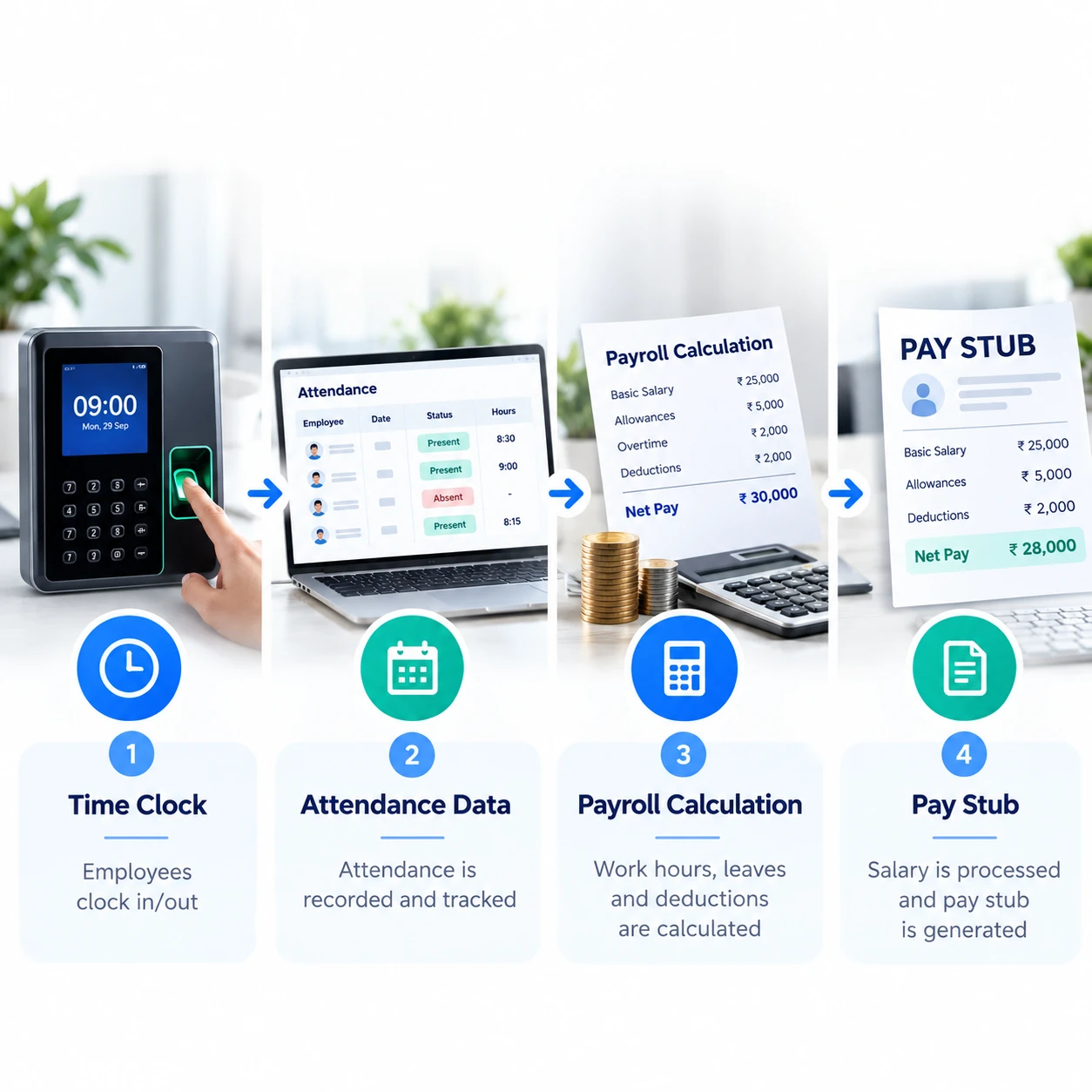
    Your payroll software should calculate wages, withhold taxes, and generate pay stubs accurately. In the U.S., employers also file federal payroll tax returns. The IRS requires most employers to file Form 941 every quarter. Your system should prepare those filings or export the data cleanly.

    Also check for:

    • Direct deposit and off-cycle payment options
    • Overtime and multi-state tax handling
    • Year-end forms such as W-2s
    • An audit trail for every change

    Step 3: Look at Attendance and Time Tracking

    Pay depends on hours, so payroll and time data must talk to each other. A good attendance management system captures clock-ins, breaks, overtime, and leave in one place.

    This matters legally, too. The U.S. Department of Labor requires employers to keep records of hours worked for nonexempt employees under the Fair Labor Standards Act. Solid records protect you if a wage dispute ever comes up.

    payroll software

    Step 4: Think Beyond Admin Work

    Modern HR system software does more than store files. Look at what it offers for people, not just paperwork.

    Employee self-service portals let staff update details and download pay stubs without emailing HR. Reporting tools show turnover, overtime, and headcount trends.

    Some platforms also support employee recognition programs. That’s worth a look. Gallup research with Workhuman found that employees who don’t feel adequately recognized are twice as likely to say they’ll quit within a year. A thank-you note is cheap. A resignation letter isn’t.

    Step 5: Ask Vendors the Right Questions

    Demos are polished. Your questions should not be. Here are the ones that separate solid vendors from smooth talkers:

    1. Pricing: What’s the total cost, including setup, training, and support?
    2. Payroll accuracy: How do you keep tax tables current?
    3. Integration: Does the system connect to our accounting and banking tools?
    4. Data security: Where is our data stored, and who can access it?
    5. Data ownership: Can we export everything if we leave?
    6. Support: Do we get a real person, and how fast do they respond?
    7. Implementation: How long does setup take, and who does the heavy lifting?
    8. Scalability: What happens to price and performance when we double in size?

    Write down the answers. Comparing them side by side keeps memory and charm out of the decision.

    Step 6: Test Before You Commit

    Ask for a trial or sandbox. Run a sample payroll. Have a manager approve a leave request. Have an employee clock in from a phone.

    If your own team finds it confusing, your employees will too. Bring your least tech-savvy colleague to the demo. They’re the best stress test you have.

    Where Klokwise and Revelar Solutions Fit

    Revelar Solutions builds business software, and Klokwise is its HRMS tool. Klokwise is designed to help teams manage core HR tasks from one platform instead of scattered spreadsheets.

    Use the checklist above when you evaluate it, just as you would with any vendor. Ask about payroll handling, attendance tracking, reporting, security, and support during a demo. You can see the details on the Klokwise page on the Revelar Solutions website.

    payroll software

    Final Buyer’s Checklist

    • Needs and budget defined
    • Payroll accuracy and tax support confirmed
    • Attendance and leave tracking included
    • Reporting and self-service tested
    • Security and data export terms reviewed
    • Support and implementation plan confirmed
    • Trial completed with real scenarios
  • Notice Period Explained: Definition, Types & Common Questions

    Notice Period Explained: Definition, Types & Common Questions

    Many employees in India would think that there is a national law fixing a uniform 30 day (or 60, or 90) notice period across all employees, but there is not. Duration of notice period is arrived at via a combination of your individual employment contract, your state’s Shops and Establishments Act and company policy, not a uniform central statute. Understanding which law applies helps resolve many common queries about resignations, retrenchment and final settlements.

    What is a Notice Period?

    A notice period is the period between the time the employment ends being informed (by either side) and your last day of work. It is intended to provide both sides time to handover responsibilities and complete any ongoing work, as well as time for the employer to source a replacement. It is practicality and not a punishment, even if it does sometimes feel like one.

    Is the same Notice Period uniformly applicable to all?

    No, and this leads to much confusion. There is no central law mandating notice period for all private sector employers as 30 days (or 60 days). The number mentioned in your appointment letter is arrived at by your state’s Shops and Establishments Act (which mandates minimum standards), your specific employment contract and company policy. Typically, the notice periods could range from as low as 15 days for entry-level employees, up to 90 days for seasoned managers, depending on their level. For all, however, the notice period specified in the appointment letter (and not some perceived uniform law) would be applicable.

    Is Retrenchment notice period same as Resignation notice period?

    No, but this is a common conflation to make. When speaking of notice period law, many would speak of the Industrial Relations Code, 2020 which came into force on November 21, 2025. However, the notice period provisions in this law apply only to retrenchment (layoff of “workmen” in industrial establishments), not to resignation of an employee. For establishments employing 100-299 workers, the effective retrenchment notice period is now 60 days (vs. 30 days previously). Retrenchment of employees in establishments with 300+ workers now requires prior government approval. This is very different from an executive making a unilateral decision to resign, which would be governed by their individual employment contract, and not the Industrial Relations Code.

    payroll softwareResignation Handover

    What happens if I am unable to serve the entire notice period?

    This leads to the idea of a notice period buyout, where an incoming employer would pay the current employer for the unexpired days of notice. This is a common practice where an employee has an earlier joining date at the new employer (thus shortening the notice period required at the exiting employer). It is generally at the discretion of the current employer to allow such a buyout (and there may even be a minimum period served requirement irrespective of whether a buyout is made). Failure to either serve the notice period or make a buyout would see employers withholding the shortfalls from employee final settlements, and in some cases, even denying the relieving letter. Courts have ruled in some cases that withholding a relieving letter (with no opportunity to obtain it otherwise) is an unfair labour practice, so this should not always be considered a fait accompli if there arises a genuine dispute.

    Can my employer extend my notice period unilaterally?

    No. A notice period is a contractual condition and one party cannot alter it unilaterally. An extension of the notice period would require an amendment signed by both parties, and not merely a verbal or email communication from the employer.

    Is a Non-Compete Clause enforceable against me once I leave?

    Typically not. Many appointment letters have clauses restricting you from taking up employment with a competitor upon leaving, but these are void under Section 27 of the Indian Contract Act, 1872 which makes agreements of restraint of trade void if they restrict a person from following any lawful trade or profession. This is an important protection many employees are not aware of.

    How it connects to your Final Settlement

    Your grievance about notice period (whether serving the notice period, a buyout, or shortfalls being withheld) would eventually boil down to notice pay (if any), buyout amount (if any), leave encashment and deductions, all correctly calculated and (per expectations commonly cited as anywhere between 48 hours and a few working days) promptly issued.

    This is what modern payroll software systems are designed to do – calculate these values in a manner free of the errors that could creep into spreadsheet-based calculations.

    Bringing it all Together

    Understanding the correct notice period law for your personal circumstances isn’t the only condition for an amicable exit – it also falls to the employer to have reliable hr system software that captures your resignation date, acceptance of resignation timeline and last working day. Alongside this, an accurate attendance management system records the exact number of days served through the notice period, which gets fed into the final settlement calculations.

    An integrated human resource management software ecosystem is the ideal way to tie all of this into a unified exit experience for an employee, rather than disparate paper trails and email threads across various departments. Revelar Solutions develops HR and workforce management software with these considerations in mind – an employee’s resignation is a moment that should not trigger an avalanche of follow-up tasks – even during the employee’s last few working days, thoughtfully implemented employee recognition software can serve as a fitting tribute that acknowledges the employee’s contribution.

    In Summary

    There is no uniform 30 day notice period for all employees. Your own notice period depends on your individual employment contract terms, your level of experience (which affects whether a short or long notice period is enforceable), and your state’s Shops and Establishments Act. For a dispute over notice period, notice period buyout or final settlements, it is best to consult a labour lawyer in your state rather than relying on generalised information.

    This article is for informational purposes only and reflects commonly understood practice as of publication. It should not be relied on as legal advice. If you have an active dispute regarding notice period, settlement or a non-compete clause, it is recommended that you consult a qualified labour lawyer.